



Now Reading: Unlocking Performance: My Custom MINISFORUM 795S7 Build Experience
-
01
Unlocking Performance: My Custom MINISFORUM 795S7 Build Experience

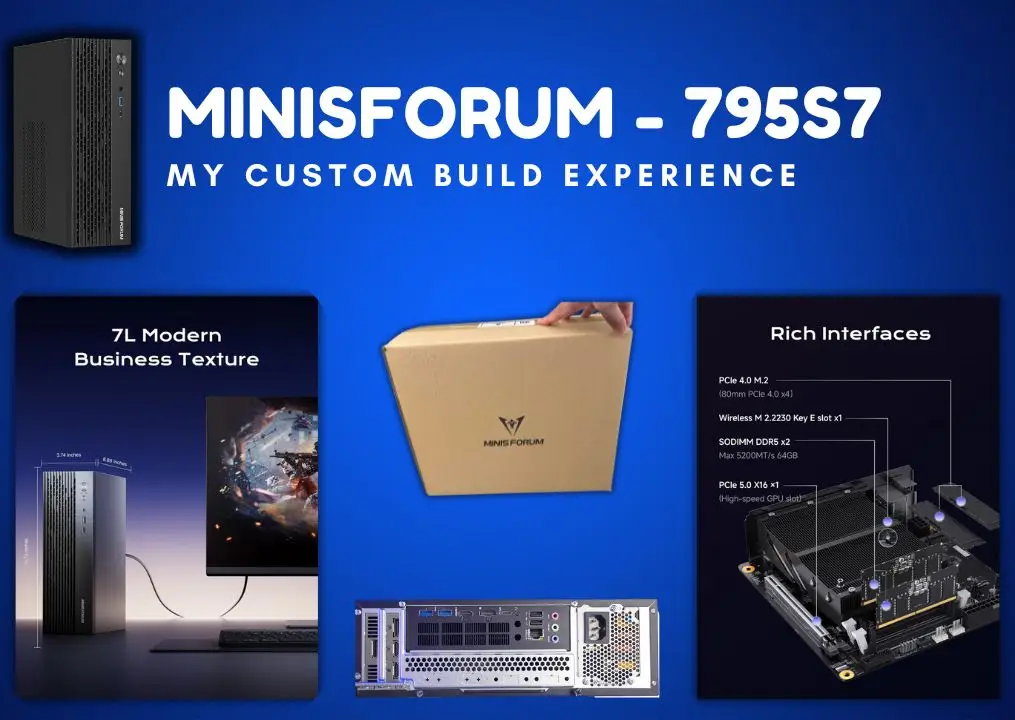
When I decided to dive into the world of custom PCs, I didn’t quite expect the thrill that came with it—nor the occasional head-scratching moment! I’d picked up a MINISFORUM 795S7 barebone, dreaming of a machine that could handle both my late-night gaming marathons and the hefty software development projects I tackle by day. Assembling it myself felt like a proper adventure, blending a bit of nerves with a lot of excitement. In this blog, I’m chuffed to share the full story—every screw, every spec, and how I turned this compact beast into a setup that’s perfect for me. Whether you’re a gamer, a coder, or just curious about building your own rig, I hope my experience sparks some ideas for you too!
Purchase: I Prefer Amazon
When the time came to buy the machine, I had a few options to mull over—Minisforum’s official site, eBay, and Amazon. There were loads of things to consider before making the purchase. After comparing prices, I noticed Amazon’s listing was a tad cheaper than the official site. But what really caught my eye—and honestly, sealed the deal—was Amazon’s one-month free return policy. It’s brilliant knowing you can send it back if you’re not chuffed with the product or spot any issues with the device. So, after a bit of back-and-forth, I decided to go for it and ordered the MINISFORUM 795S7 from Amazon!
Variant Selection: Comparison Between Different Variants
As now I selected to move forward with the purchase from Amazon. Now the current step is to compare and select the best variant among the available options on Amazon. The one is MINISFORUM 795S7 – 32GB/1TB and the other option is Barebone model of MINISFORUM 795S7-Barebones. I did a proper deep dive comparing my options, weighing up which one was more economical and powerful. I’d love to share my chosen package with you—it might come in handy for someone else too! Just a heads-up, though: I didn’t go for a graphics card right now because of my budget. Instead, I opted for 64GB of DDR5 RAM and a 2TB SSD, which felt like a solid choice for the time being. I can always grab a graphics card later down the line, and when I do, I’ll be sure to update you all on that part of the journey!
Here are the predefined packages I found on Amazon including MINISFORUM 795S7-Barebones and MINISFORUM 795S7 – 32GB/1TB:
|
Pre-Selected |
|
|
Product Name |
Price |
|
£459.99 |
|
|
£909.98 (Deal) RRP: £1,129.99 |
|
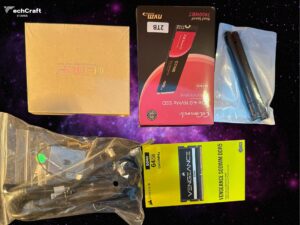
After spending far too much time browsing and comparing different products, I finally reached a decision—I’d go for upgraded RAM and SSD instead of a graphics card. It felt like the right call for now, and I’m chuffed with how it turned out. Here’s my final selection of the products:
|
My Selection |
|
|
Product Name |
Price |
|
£459.99 |
|
|
£154.99 |
|
|
GiGimundo G7400 2TB M.2 PCIe Gen 4.0×4 NVMe SSD – Max |
£98.99 |
|
£11.31 |
|
|
Total |
£725.28 |
You might be wondering about something: the MINISFORUM 795S7 supports DDR5 RAM with a max speed of 5200MHz, yet I went with a 5600MHz module. Here’s why—it’s all about timing! The 5200MHz option was going to take ages to deliver, while the 5600MHz one could arrive much quicker. So, I ordered the 5600MHz, and it showed up in no time. The machine automatically steps the speed down to its 5200MHz limit, so I didn’t run into any issues at all. Worked out nicely, I reckon!
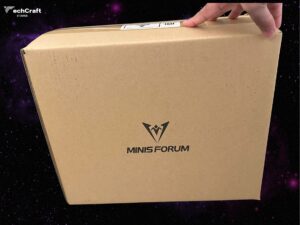
Order Arrival: Finally the arrival of all items








Review
The Summary
You might be wondering about something: the MINISFORUM 795S7 supports DDR5 RAM with a max speed of 5200MHz, yet I went with a 5600MHz module. Here’s why—it’s all about timing! The 5200MHz option was going to take ages to deliver, while the 5600MHz one could arrive much quicker.
- Future-Proofing for Later Upgrades
- Faster Delivery, Less Waiting
- No Compatibility Hassles
- Potential Cost Savings
- Slight Edge in Overclocking Potential
- Paying for Unused Speed
- Possible Stability Risks (If Pushed)
- Heat Output Concerns
- Missed Optimisation Opportunity
- Warranty Grey Area
Related Posts

Stay Informed With the Latest & Most Important News
Previous Post
Next Post







Advertisement